
Apex Legends Radar Hack: How a Mini Map Changes Your Positioning
How a radar hack adds a live map style view of players around you in Apex Legends and how to use it for rotations and ring positioning.
Most of the time in Apex you are watching what is in front of you. A radar adds a wider view, showing where other players are around you so you are not relying only on sound and guesses.
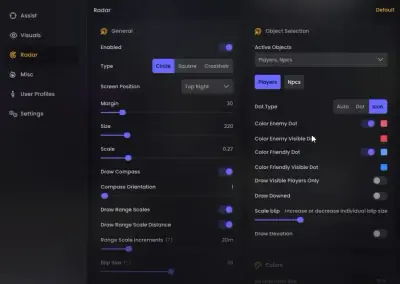
What the radar shows
A radar works like a small live map of your surroundings. It marks nearby players and, depending on the version, can also show teammates and items. Some versions add extras such as zone information. Check the product page for what your version includes.
How it differs from ESP
ESP and wallhack draw information on players you can already see or see through walls. A radar gives you the layout: where everyone is relative to you, including players behind you or off to the side. ESP tells you about the player in front of you. The radar tells you about the whole area.
Where it helps most
- Rotations. You can spot enemy squads on your path and pick a safer route.
- Third parties. You see a squad moving in on a fight before they arrive.
- Ring play. In the closing zone you know which sides are occupied and which are open.
- Regrouping. If teammates fall behind, you can see where they are and rejoin.
Using it without losing focus
A radar is a glance tool. If you stare at it, you stop watching the fight. Place it where it is easy to read and check it between engagements, not during them.
What it cannot tell you
It shows where players are, not what they are about to do. It will not tell you which ability someone is about to use or whether they have a full inventory. Treat it as one source of information and keep reading the match.
If you want to see how the full set fits together, the Apex Legends radar product page lists what is available, and our loot ESP guide covers the item side.